
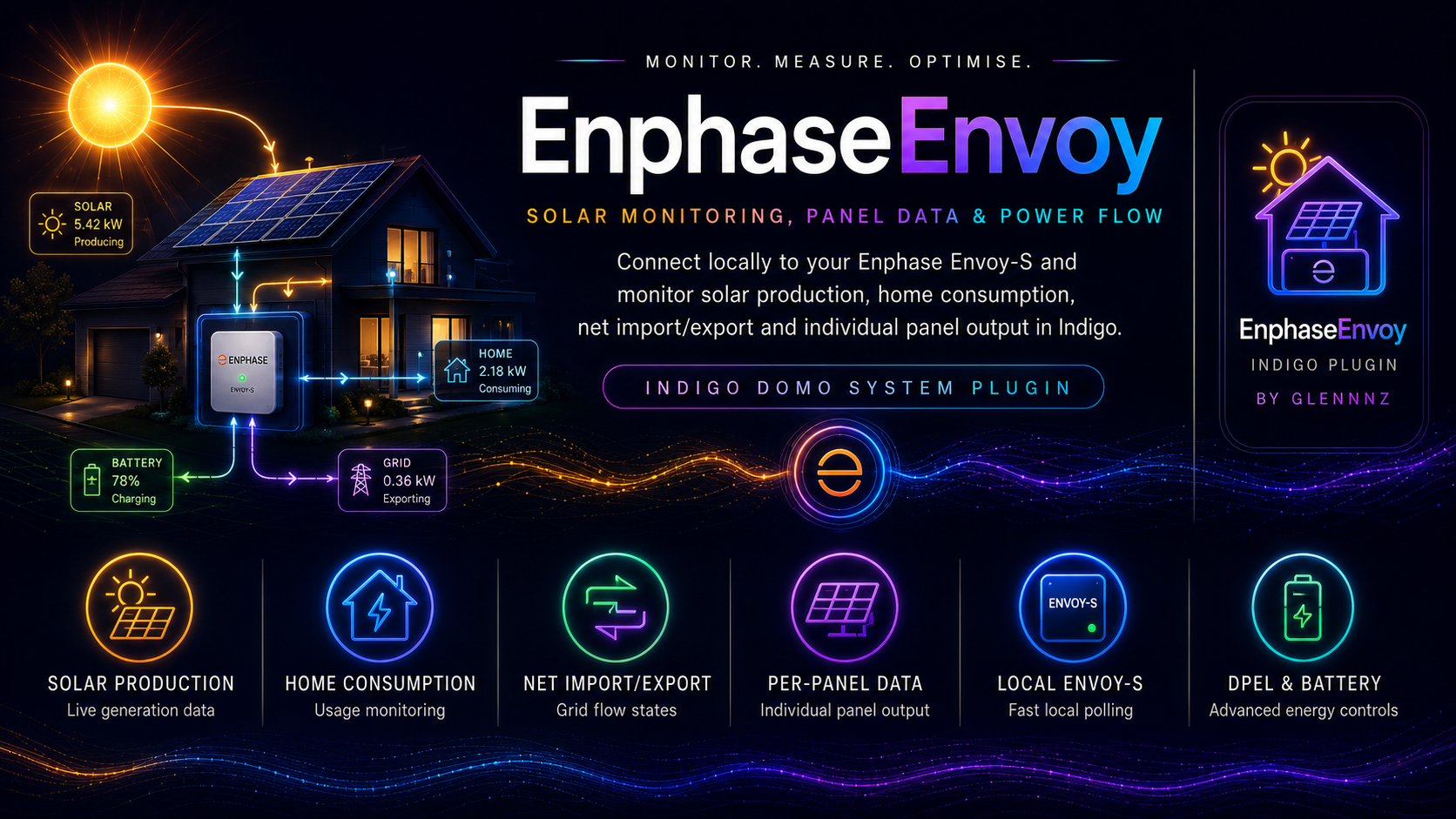
Enphase Envoy Plugin for Indigo Domotics
Monitor your Enphase solar system — production, consumption, battery, and individual panel output — directly from Indigo Domotics via your local Envoy gateway. No cloud dependency; data updates every 60 seconds.
Latest Release | Indigo Plugin Store | Full Wiki Documentation
Features
- Real-time solar monitoring — production, consumption, net flow, and grid status updated every 60 seconds direct from the local Envoy
- Per-panel microinverter devices — one Indigo device per panel, showing watts, temperature, DC/AC voltage, energy totals, and last-heard time
- Battery & grid support — full Encharge battery state, charge/discharge rate, state of charge, storage mode, and grid import/export
- Cost tracking — optional Cost device calculates daily, 7-day, and lifetime energy costs against your configured tariff rates
- Power production control — enable or disable all inverter output via an Indigo action (installer token required)
- DPEL — Dynamic Power Export Limiting — cap grid export or total production at a configurable watt limit and slew rate
- Battery storage mode control — switch between Self-Consumption, Savings (TOU), and Full Backup; enable/disable grid charging; set reserve SOC
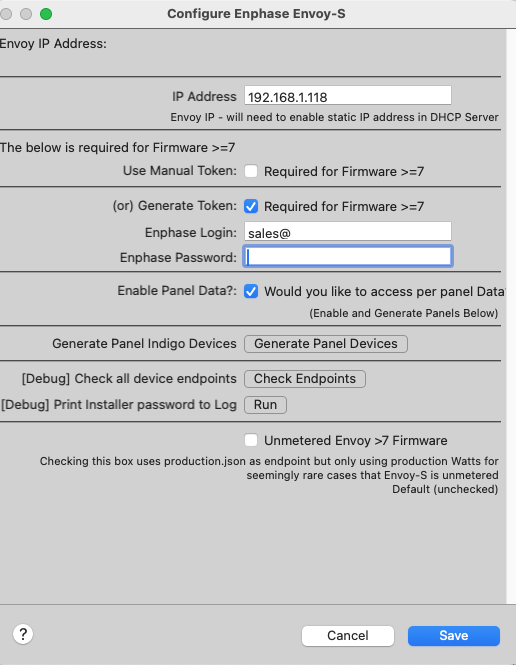
- Firmware ≥7 JWT authentication — auto-generates and refreshes installer or owner tokens; supports manual token entry
- Multi-Envoy — run multiple Envoy devices simultaneously for homes with more than one gateway
- No external dependencies — all required packages are bundled inside the plugin; no manual pip installs needed
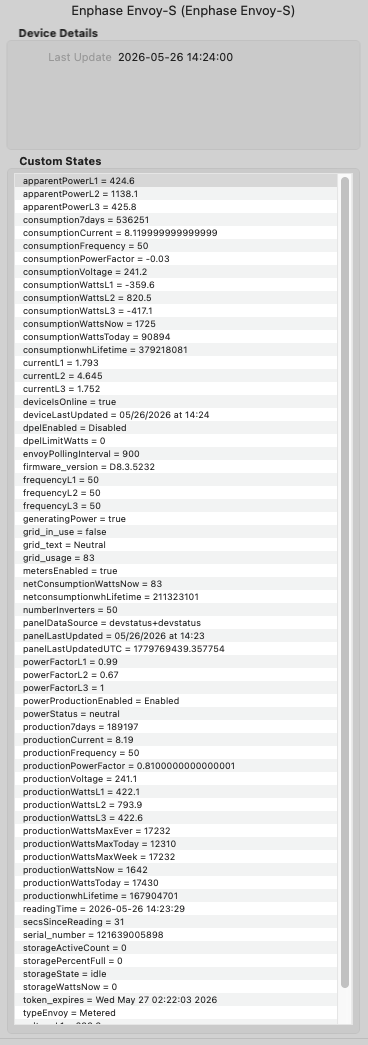
Live device states — Envoy-S Metered, 50 panels, firmware D8.3.5232:
Device settings dialog:
Quick Start
- Download the latest .indigoPlugin from GitHub Releases or from the Indigo Plugin Store.
- Double-click the downloaded file — Indigo will prompt to install and enable it.
- Create a device — go to Devices → New Device…, select model Enphase Envoy-S, and enter your Envoy's local IP address.
- Add a token (firmware ≥7 only) — use Generate Token with your Enphase Enlighten credentials, or paste a manual token from entrez.enphaseenergy.com.
- Save — the plugin polls immediately; within 30 seconds deviceIsOnline will be True and live data will appear.
Documentation
All documentation is in the GitHub Wiki:
- Home — Overview, architecture, what's new
- Installation & Setup — Prerequisites, install steps, device creation, startup log guide
- Authentication — Token types, auto-generate vs manual, MFA handling, token refresh
- Device Types — All 5 device models and their configuration options
- Device States Reference — Every state across all device types, with types and descriptions
- Actions Reference — All plugin actions: DPEL, power control, battery modes
- Plugin Menu & Diagnostics — Menu items, endpoint checker, log panel freshness
- Polling & Data Flow — Cadence table, panel pipeline, HTTP session reuse, back-off logic
- Automation Examples — 14 ready-to-use automation recipes
- Troubleshooting — Common problems, authentication errors, error reference
- Enphase Envoy-S — Main gateway: production, consumption, storage, per-phase metering
- Enphase Legacy — Older Envoy-C hardware without metering support
- Enphase Panel — One device per microinverter: watts, temperature, DC/AC voltage, energy totals
- Enphase Battery & Grid — Encharge battery state, grid flow, storage mode settings
- Enphase Cost — Calculates energy costs against your tariff rates
- Menu item: Log Last Time Envoy Heard from Panels — highlights panels that have gone silent and shows reporting delay
- New states: panelLastUpdated, panelLastUpdatedUTC, panelDataSource
- New state: grid_text — human-readable summary e.g. "Grid in use & Importing 450 Watts"
- New states: grid_in_use (Boolean) and grid_usage (signed watts)
- powerStatus neutral band — flows under 100 W classified as neutral rather than importing/exporting
- Bug fix: voltage states were not divided by phase count on multi-phase systems
Requirements
- Indigo Domotics 2025.1+
- Python 3.10+ (bundled with modern Indigo)
- Network — Indigo Mac and Envoy must be on the same LAN
- Enphase account — required only for firmware ≥7 token generation
- Refresh all devices / Refresh single device — any token
- Enable / Disable power production — installer token required
- Enable / Disable DPEL (export limiting) — installer token required
- Set storage mode (self-consumption / savings / backup) — installer token recommended
- Enable / Disable charge from grid — installer token recommended
- Set battery reserve SOC — installer token recommended
Support & Community
- Indigo Plugin Forum: forums.indigodomo.com
- Bug reports & feature requests: GitHub Issues
- Plugin Store: indigodomo.com/pluginstore/105


