
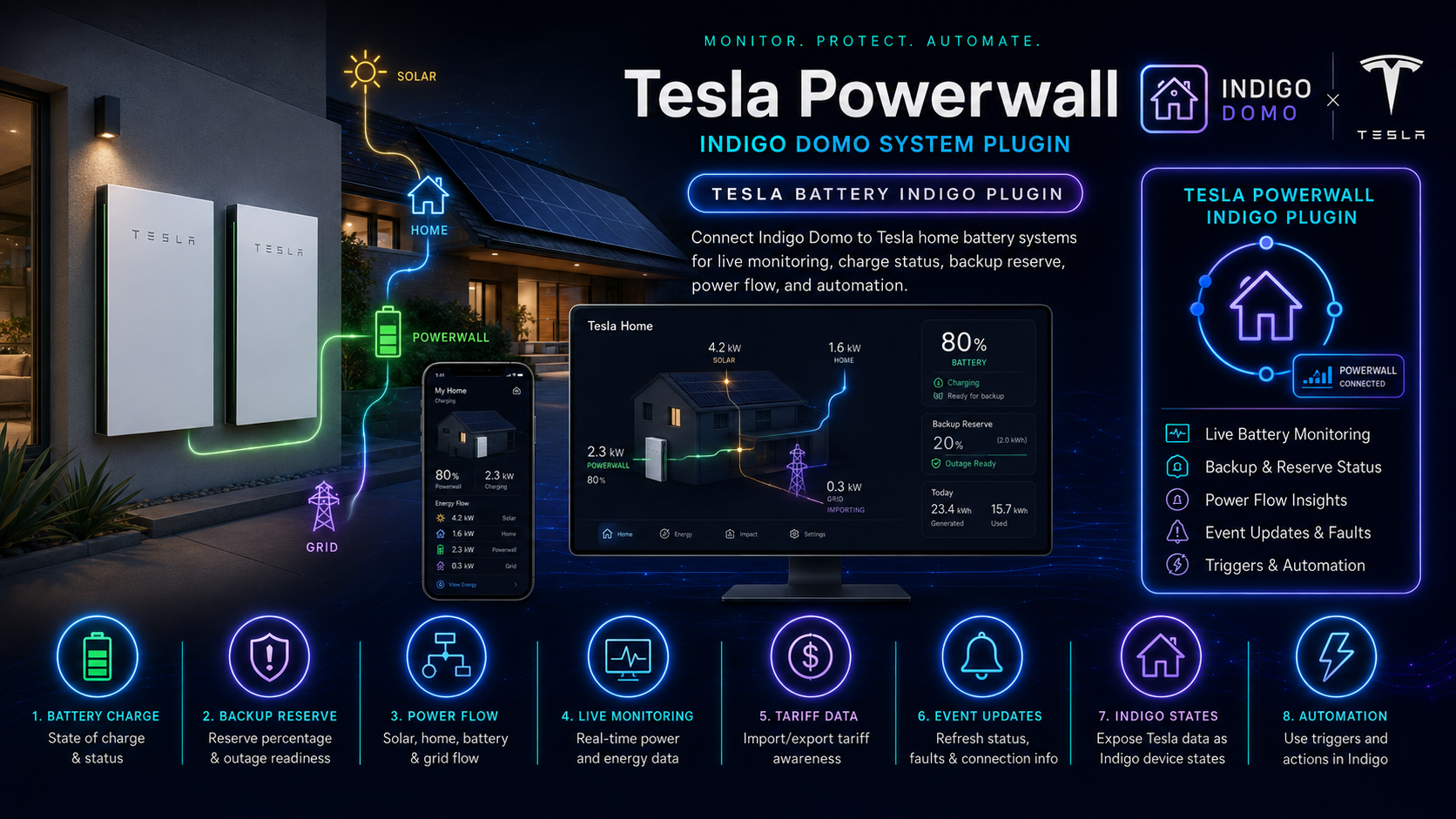
Tesla Battery Plugin for Indigo Domo
Connect your Tesla Powerwall to Indigo Domo for live monitoring, automation, and control — entirely from your local network, with optional Tesla cloud features.
New Version: 1.0.30 Download / Install:
https://www.indigodomo.com/pluginstore/170/
━━━━━━━━━━━━━━━━━━━━━━━━━━━━━━━━━━━━━━━━
Features
- Battery Charge & State — Real-time charge percentage, with charging / discharging / idle state
- Backup Reserve — Read and set your backup reserve percentage via action groups
- Power Flow — Live watts for solar, battery, grid, and home load
- Local Monitoring — Polls your Gateway directly — no cloud dependency for data collection
- Tariff Awareness — Reads your Tesla TOU tariff plan and tracks the current rate period in real time
- Grid Events — Detects grid loss, restoration, and faults with device state changes
- Rich Indigo States — All values exposed as device states for triggers, scripts, and control pages
- Automation — React to grid loss, battery state changes, solar export events, and tariff periods
Quick Setup
- Assign a static IP to your Powerwall Gateway in your router (DHCP reservation)
- Download the latest release and double-click the .indigoPlugin bundle to install
- Open Plugins → Tesla Battery → Configure — enter the Gateway IP, your Tesla account email, and local Gateway password
- Click Check Connection — then Generate Tesla Devices when it appears
- (Optional) Tick Allow Online Communication and add a Refresh Token for remote control and extended states
What Gets Created
Four devices inside a Tesla Battery Gateway folder:
- Tesla Site Info — Site name, grid code, utility, current tariff rate and period name
- Tesla Battery — Charge %, operational mode, backup reserve %, estimated time remaining, storm mode, firmware version
- Tesla Grid Status — Grid connected / islanded boolean, raw status string, loss & restore timestamps, fault log
- Tesla Meters — Live watts for solar / grid / home / battery, plus boolean states for solarGenerating, gridUsage, batteryCharging, batteryDischarging, sendingToGrid
Powerwall Control Page Images
Over 500 images are included for use in Indigo control pages. The batteryState_combined device state (e.g. charging_73) maps directly to filenames — Indigo selects the right image automatically.



Charging 50% · Idle 50% · Discharging 75%
Image sets:
- Device/ — 100 charge-level images (powerwall+1.png … powerwall+100.png)
- Device/Combined/ — 300 combined state + charge images (charging / idle / discharging × 1–100%)
- Device/Combined-small/ — Same at reduced size for compact layouts
Documentation
Full documentation is available in the GitHub Wiki:
- Installation — Step-by-step setup, finding the gateway password, refresh token instructions, troubleshooting
- Configuration — Every Plugin Config field explained, polling intervals, token lifecycle
- Devices & States — All four devices with complete state reference tables
- Actions — Set operational mode, change backup reserve, retry behaviour
- Triggers & Automation — Device state triggers, grid loss/restore, tariff events, example automations
- Control Pages & Images — Image sets, batteryState_combined wiring, step-by-step control page setup
- Full Changelog — Complete version history from 0.0.5 (2018)
Changelog
1.0.30 — 2026-05-31
- Add comprehensive GitHub wiki documentation (Installation, Configuration, Devices, Actions, Triggers, Control Pages, Changelog)
- Update README with banner, feature table, wiki links, and inline Powerwall images
- Fixed TariffResolver exceptions crashing the background thread — now caught and logged gracefully
- Fixed grid fault trigger never firing on first fault appearance (condition was inverted)
- Fixed grid fault log message incorrectly labelled "BLANK" when faults were present
- Fixed unbound dev variable crash when no battery devices exist during tariff update
- Fixed setOperationalModeOnline TypeError on auth failure (datareturned is always None)
- Fixed JSON string injection in sendcommand local login payload — replaced with json.dumps()
- Fixed battery level image not updating when charge is exactly 25%
- Fixed SystemIslandedReady grid state not handled — now treated same as SystemIslandedActive
- Fixed fillmetersinfo exception handler logging wrong function name
- Fixed OAuth authorized guard (was commented out) — prevents unnecessary token refresh on every loop call
- Removed discarded getsiteInfoOnline() call in setOperationalModeOnline
- Changed bare macOS version line from info to debug log level
Requirements
- Tesla Powerwall with Gateway accessible on your local network
- Indigo Domo 2022.1 or later (tested through 2025.2)
- Python 3.10+ (bundled with modern Indigo)
- Static / reserved IP address for the Gateway
- (Online features only) Tesla account email + Refresh Token