Kiosk Home iOS App

User avatar
durosity
Posts: 4810
Joined: Thu May 10, 2012 3:21 pm
Location: Newcastle Upon Tyne, Ye Ol' England.

Re: Kiosk Home iOS App

Post by durosity »

GlennNZ wrote: Fri Mar 28, 2025 4:08 pm I think you might need to spend the 5 minutes of entering your preferred settings, once for each device…
Whoa whoa whoa... you expect me to waste 5 whole minutes instead if you spending hours coding and testing, coding more, testing more, finding bugs, fixing them, finding that caused more bugs, fixing them, spending the whole weekend chasing phantom issues that turn out to be a weird indent issue... you've gotta get your priorities right here matey!

(Oh and just to clarify I meant an XML published on a web server rather than local on the device.. but that's a moot point now as it's clearly not a trivial exercise to implement 🙂 )

Oh I meant to ask.. is there any way that the iPad could update a variable in indigo with its battery level? Again would just be a nice to have but if it'd be a pain then dinny worry about it!
Computer says no.
User avatar
GlennNZ
Posts: 1873
Joined: Sun Dec 07, 2014 3:33 pm
Location: Central Coast, Australia

Re: Kiosk Home iOS App

Post by GlennNZ »

durosity wrote: Fri Mar 28, 2025 4:57 pm Whoa whoa whoa... you expect me to waste 5 whole minutes instead if you spending hours coding and testing, coding more, testing more, finding bugs, fixing them, finding that caused more bugs, fixing them, spending the whole weekend chasing phantom issues that turn out to be a weird indent issue... you've gotta get your priorities right here matey!
HaHa - Well - if history is anything to go by probably would end up at that - but added issue here is the apple Store approval, overview, permissions within app etc. It really is a nightmare.

On another note - the popup I seem to have fixed with literally one line of code... but like you I don't use it much probably because styling is fairly fixed....

Will look at 2 way communication - primarily to update dim levels in both directions. Not sure about adding other variables.

Probably at point where Indigo plugin with device for each Kiosk device is needed - this is probably a bit of overhead that don't need....
User avatar
durosity
Posts: 4810
Joined: Thu May 10, 2012 3:21 pm
Location: Newcastle Upon Tyne, Ye Ol' England.

Re: Kiosk Home iOS App

Post by durosity »

GlennNZ wrote: Fri Mar 28, 2025 9:37 pmis probably a bit of overhead that don't need....
Agreed, the app works pretty much perfectly as is.. no point making it more complicated for the sake of something that's not really that important!

Quick question.. are you aware of any way that I can get Pushover notifications to launch the Kiosk Home app to a specific control page? I have a vague recollection of a way to do that with Indigo touch by specifying the Link URL as something like indigo://controlpage?123456 or something a bit like that, but it's been years since I've used that and obviously that wouldn't work for Kiosk Home.
Computer says no.
User avatar
GlennNZ
Posts: 1873
Joined: Sun Dec 07, 2014 3:33 pm
Location: Central Coast, Australia

Re: Kiosk Home iOS App

Post by GlennNZ »

I haven’t implemented shortcut urls (I suspect it is probably simple to do so.. and will have a look)

Meanwhile I would use the Indigo Server Variable to alter the control page being displayed as needed. Keeping everything within Indigo…. Obviously wouldn’t work if app was already closed and first time launch..

Glenn


Sent from my iPad using Tapatalk
User avatar
durosity
Posts: 4810
Joined: Thu May 10, 2012 3:21 pm
Location: Newcastle Upon Tyne, Ye Ol' England.

Re: Kiosk Home iOS App

Post by durosity »

I’m already heavily using that variable for my wall mounted iPads (along with the brightness control).. the pushover URL one is more intended for iPhone use when an event happens it can take me to a control page that gives more info!

Thanks for all your hard work on this app.. it’s amazing!
Computer says no.
User avatar
GlennNZ
Posts: 1873
Joined: Sun Dec 07, 2014 3:33 pm
Location: Central Coast, Australia

Re: Kiosk Home iOS App

Post by GlennNZ »

Have added Custon URL support to version 1.12

Pending store uploads, checks, redoing forms etc.. Hopefully in App store soon..

Changelog

1.12

Fix for loop of dim brightness update in rare hard to produce circumstances. (hopefully)
Add Custom URLs:
kioskhome://navigate?id=123123&reset=true
kioskhome://brightness?value=0.5
kioskhome://navigate?id=1232&brightness=1.0 - Navigate to control page id 1232 and set brightness to 100%
kioskhome://navigate?brightness=0.5 - Only change brightness to 50%
kioskhome://navigate?id=1232 - Only navigate to page 1232
kioskhome://navigate?reset=true - Reset/reload the current page
kioskhome://navigate?id=1232&reset=true - Navigate to control page 1232 with a WebView reset
kioskhome://brightness?value=0.5 - changes brightness to 0.5
User avatar
GlennNZ
Posts: 1873
Joined: Sun Dec 07, 2014 3:33 pm
Location: Central Coast, Australia

Re: Kiosk Home iOS App

Post by GlennNZ »

GlennNZ wrote:Have added Custon URL support to version 1.12

Pending store uploads, checks, redoing forms etc.. Hopefully in App store soon..

Changelog

1.12

Fix for loop of dim brightness update in rare hard to produce circumstances. (hopefully)
Add Custom URLs:
kioskhome://navigate?id=123123&reset=true
kioskhome://brightness?value=0.5
kioskhome://navigate?id=1232&brightness=1.0 - Navigate to control page id 1232 and set brightness to 100%
kioskhome://navigate?brightness=0.5 - Only change brightness to 50%
kioskhome://navigate?id=1232 - Only navigate to page 1232
kioskhome://navigate?reset=true - Reset/reload the current page
kioskhome://navigate?id=1232&reset=true - Navigate to control page 1232 with a WebView reset
kioskhome://brightness?value=0.5 - changes brightness to 0.5
In Store now. (that was a quick store turnaround)


Sent from my iPad using Tapatalk
User avatar
norcoscia
Posts: 1346
Joined: Wed Sep 09, 2015 5:54 am

Re: Kiosk Home iOS App

Post by norcoscia »

Thanks again for this, use it every day. I tried to make my own motion icons but wow is it hard - will the adobe product you mentioned for creating motion icons allow you to import vector images?

PS. not seeing the update in the store - it must take some time to show up….
_______
Norm
User avatar
GlennNZ
Posts: 1873
Joined: Sun Dec 07, 2014 3:33 pm
Location: Central Coast, Australia

Re: Kiosk Home iOS App

Post by GlennNZ »

norcoscia wrote:Thanks again for this, use it every day. I tried to make my own motion icons but wow is it hard - will the adobe product you mentioned for creating motion icons allow you to import vector images?

PS. not seeing the update in the store - it must take some time to show up….
I can see new version in store, but does propagate across the varies stores around the world at it’s own speed… Should be soon though.

My workflow for creating animated png’s

Is download animated gif wish to use
Abode After Effects (free thankfully with a student in household - otherwise $$)
Start with base image
Add GIF to it (literally drag and drop)
Size position, animate settings adjust

Export as sequence of png (to preserve transparency)

Go to Website.
www.ezgif.com

Create animated png. (APNG)
Drop sequence images into the Upload files sequence
Duplicate the first one a few times.
Set the speed of animation.
Select the correct transparency settings:
- Enable: skip the first frame (First frame is shown on unsupported browsers)
- Enable: don't stack frames (Remove the frame when it's time to display next one, use for images with transparent background)

Press create.

Rename to .png - add to Indigo.


Sent from my iPad using Tapatalk
User avatar
norcoscia
Posts: 1346
Joined: Wed Sep 09, 2015 5:54 am

Re: Kiosk Home iOS App

Post by norcoscia »

Thanks - I’ll keep an eye out for it.

Darn, all my artwork is in vector format. I was hoping there was an easy way to add animation effects but I guess it makes sense that is not possible.

Do you have a PayPal address so I can send you a few bucks, I feel guilty using this so much. It has allowed me to do all the things I wanted to do (and have been requesting) for the last 10 years.
_______
Norm
User avatar
GlennNZ
Posts: 1873
Joined: Sun Dec 07, 2014 3:33 pm
Location: Central Coast, Australia

Re: Kiosk Home iOS App

Post by GlennNZ »

Hi
Would be surprised if after effects doesn’t accept vector images as an import option. Certainly should be easy to convert to bitmap type and then import.
Paypal details are in the plugin store plugin links I believe.. and thanks.. was considering making it a paid app store app but for various reasons decided not to. (Belatedly realised that this isn’t a plugin store plugin though - so just pick one of my other plugin’s for the link..)

Glenn


Sent from my iPad using Tapatalk
User avatar
norcoscia
Posts: 1346
Joined: Wed Sep 09, 2015 5:54 am

Re: Kiosk Home iOS App

Post by norcoscia »

Thanks, I forgot you had other plug-ins, getting too old I guess …
_______
Norm
freshwuzhere
Posts: 117
Joined: Thu Apr 05, 2012 2:52 pm

Re: Kiosk Home iOS App

Post by freshwuzhere »

Kiosk is amazing and life changing (no exaggeration), but I have what could only be described as a first world problem …… :shock: :shock:

Kiosk Home is amazing and has my wife and even my 15 yo kids actively using (they’re even editing “their pages”).

My problem - I haven’t figured out how to integrate Kiosk Home into our weekend place. (The old “Second home problem”). Thanks to iOS ’s security sandboxing and indigo’s unique IDs, changing houses means changing every single app’s configuration manually (at least APi key, Base IP , default control page ID etc) on arrival - which definitely kills WAF and CAF (child acceptance factor).

Is there a solution I missed to this? A “second app”, a quick change button? A second iOS app that flips the configuration? Happy to help hack !! 8)
User avatar
GlennNZ
Posts: 1873
Joined: Sun Dec 07, 2014 3:33 pm
Location: Central Coast, Australia

Kiosk Home iOS App

Post by GlennNZ »

freshwuzhere wrote:Kiosk is amazing and life changing (no exaggeration), but I have what could only be described as a first world problem …… :shock: :shock:

Kiosk Home is amazing and has my wife and even my 15 yo kids actively using (they’re even editing “their pages”).

My problem - I haven’t figured out how to integrate Kiosk Home into our weekend place. (The old “Second home problem”). Thanks to iOS ’s security sandboxing and indigo’s unique IDs, changing houses means changing every single app’s configuration manually (at least APi key, Base IP , default control page ID etc) on arrival - which definitely kills WAF and CAF (child acceptance factor).

Is there a solution I missed to this? A “second app”, a quick change button? A second iOS app that flips the configuration? Happy to help hack !! 8)
Hi

Glad it is getting some use!

It was created ideally for a ‘Kiosk’ situation - eg. a stuck to the wall ipad for control, so the problem you describe wasn’t really first and foremost - as you say a first world problem…

Not sure there is any easy options - either currently or app changes to support.

We use the Settings - App pages to set all these aspects. Again given the Kiosk nature didn’t need an app settings screen, which would have been more customisable.

The Settings setup entries are fixed at runtime so can’t add new settings etc. Could create multiple fixed profiles - but they would need to be visible by all… and is a widespread code change.

Hmmm - might be able to kioskhome:// custom url support - adding support for updating the IP Address, API Key, Variables ID x3 when called. Then could call from safari:
kioskhome://ipaddress=192.168.1.19:8176&api=1231232332&Var1=12321323&Var2=13121322&Var3=1321221

(although the colon here wouldn’t work) would need &port=8176

Updating the current settings to whatever set. Save in Notes - and click when moving… Probably even save to home screen as a URL link.

Probably also a quick way to set up new devices - which was requested a while ago.

I’ll have a further think on it.

Glenn


Sent from my iPad using Tapatalk
User avatar
GlennNZ
Posts: 1873
Joined: Sun Dec 07, 2014 3:33 pm
Location: Central Coast, Australia

Kiosk Home iOS App

Post by GlennNZ »

freshwuzhere wrote: Mon Apr 28, 2025 12:18 pm Kiosk is amazing and life changing (no exaggeration), but I have what could only be described as a first world problem …… :shock: :shock:

Is there a solution I missed to this? A “second app”, a quick change button? A second iOS app that flips the configuration? Happy to help hack !! 8)
Okay. I think 1.15 - sitting waiting store review might help these plans...

Adds:

1.15

Refactor Screen Brightness handling, both internal updating and external updating. Review and fix rare loop between the 2.
Limit screen brightness to three decimal places off -> 0.001 -> 1.000

Refactor Scheduled Dimming. Bug fixes.

Big Oops - fix for Sound Speedup - only had applied it to Alerts, not touch events - hopefully far more noticable quicker now.

But for those that need to swap homes/settings:
- Adds the Creation on Startup in iOS Files App of the apps current settings as a shortcut url via kioskhome://configure.
(In format as below. Saved in Kiosk Home Directory,in Files App)
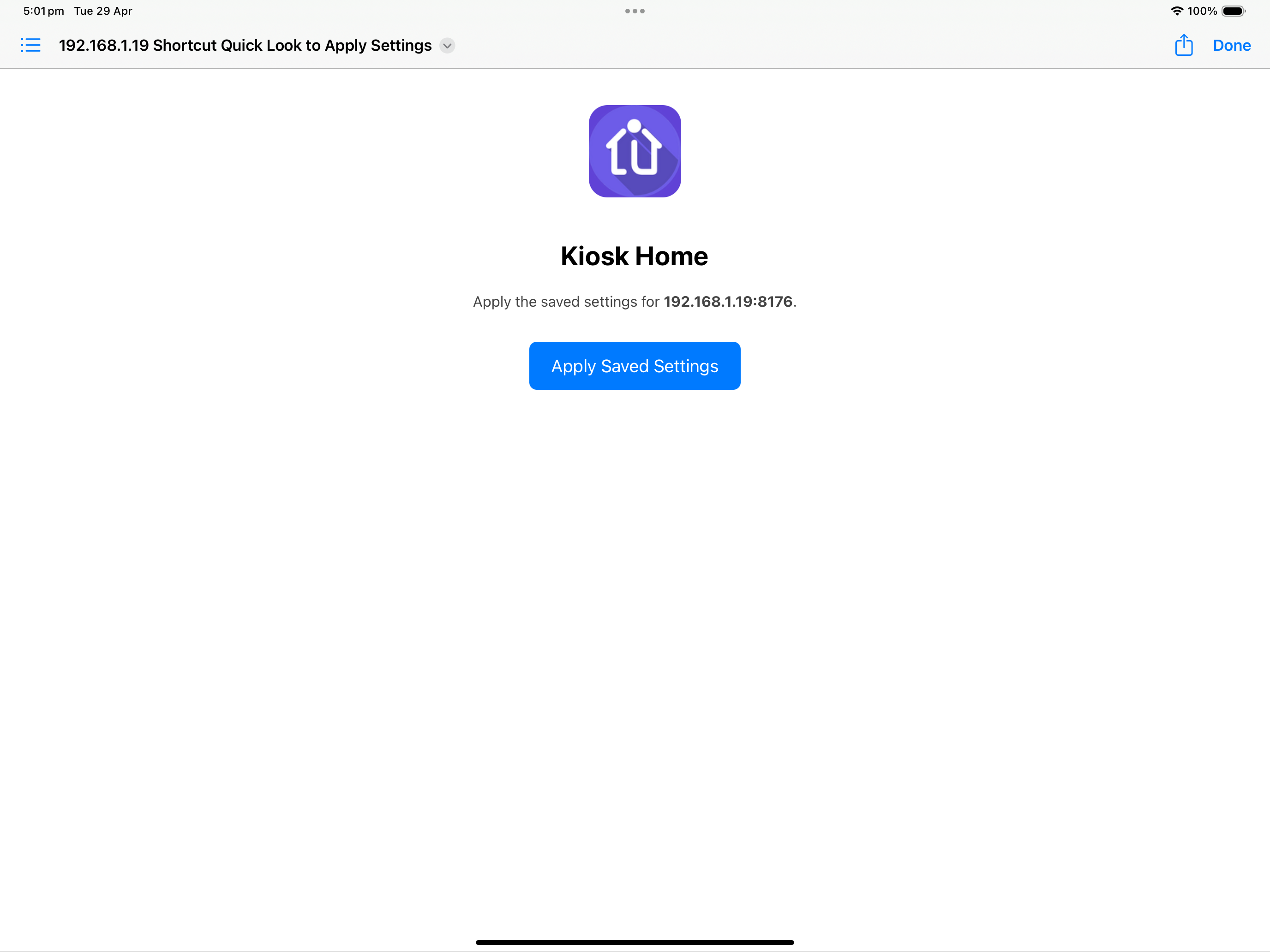
- Also adds a HTML file with button that will update current App to these saved settings.

This html file can be added to home page for single link to restore saved settings and renamed etc.
(use the Shortcuts app to add to HomeScreen) [Only programatically able to do so on OS16+]
|
Support Setup & change of Setup via shortcuturl kioskhome://configure
Shortcuts supported (1 or many)
kioskhome://configure?
usehttpsserver=true&
baseipaddress=192.168.1.19:8176&
apikey=YOURKEY&
startpageid=123456&
variablenumber=1089&
variabledimcontrol=72959048&
variablesoundcontrol=72959049&
screenviewportsize=1.25&
useblackoutdiv=true&
fitwidthmode=false&
pagetopoffset=30&
pagerightoffset=0&
disablescreenzoom=true

.


You can Quick Look in Files App: (or click depending on setup/iOS)
Image


If you connect to various homes the files are saved via IP address. (once connected once - can use files to swap)

& pressing the Apply button applies the settings.

The text file can be copied and pasted and texted between devices to simply update once multiple new devices.

You can also go to Shortcuts app and get File - add to Home Screen. Spent a bit of time trying to do this programmatically (but can't under OS16 which we still support).

Hopefully that covers some bases....

Glenn
Attachments
Files QuickLook.png
Files QuickLook.png (236.64 KiB) Viewed 482 times
Post Reply

Return to “Kiosk Home iOS App”