Room-O-Matic

User avatar
Colorado4Wheeler
Posts: 2794
Joined: Mon Jul 20, 2009 10:48 am
Location: Colorado

Room-O-Matic

Post by Colorado4Wheeler »

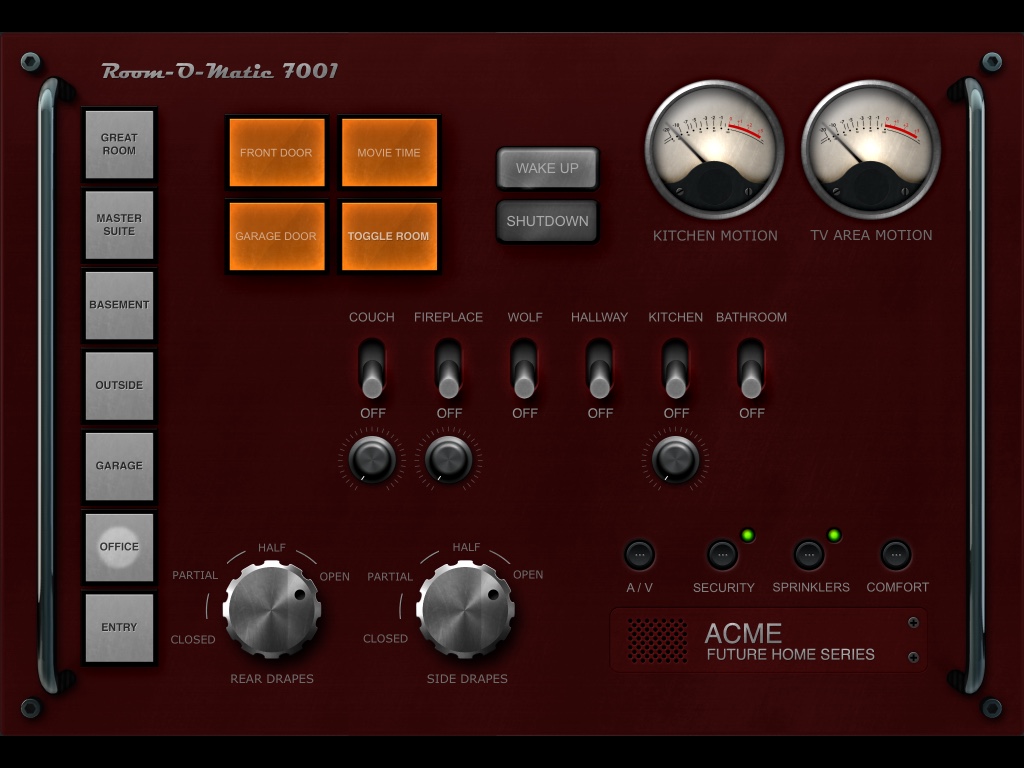
I got a bit tired of using "web images" for my stuff and decided to create an entirely new look and feel for my control pages, something where I could really tweak the shadows and depth of the images rather than having pictures just sitting on pictures with no depth. So this is Room-O-Matic, a totally graphic design driven control system for my house. There's still some tweaks I am doing (yea, like THAT will ever end), but I have the whole system in both portrait and landscape and works nicely on the iPads on my walls.

Once of the nice things about this design is that it's entirely modular so I can add totally new designs easily or change what's there in a snap. Heck, if you guys are interested in it I could pack up the entire system and post it for download (although I'm still working on my plugin for this system as well as a specialized IOS app as well).

My great room - The motion sensor VU's move back and forth with motion, the dials under the switches move with each level of brightness, the curtain controllers move dynamically depending on where the drapes are at that moment, security goes red if any door is unlocked or open, sprinklers go red if any zone is on and the rest is pretty self explanatory:
thumb_IMG_0015_1024.jpg
thumb_IMG_0015_1024.jpg (166.21 KiB) Viewed 16325 times
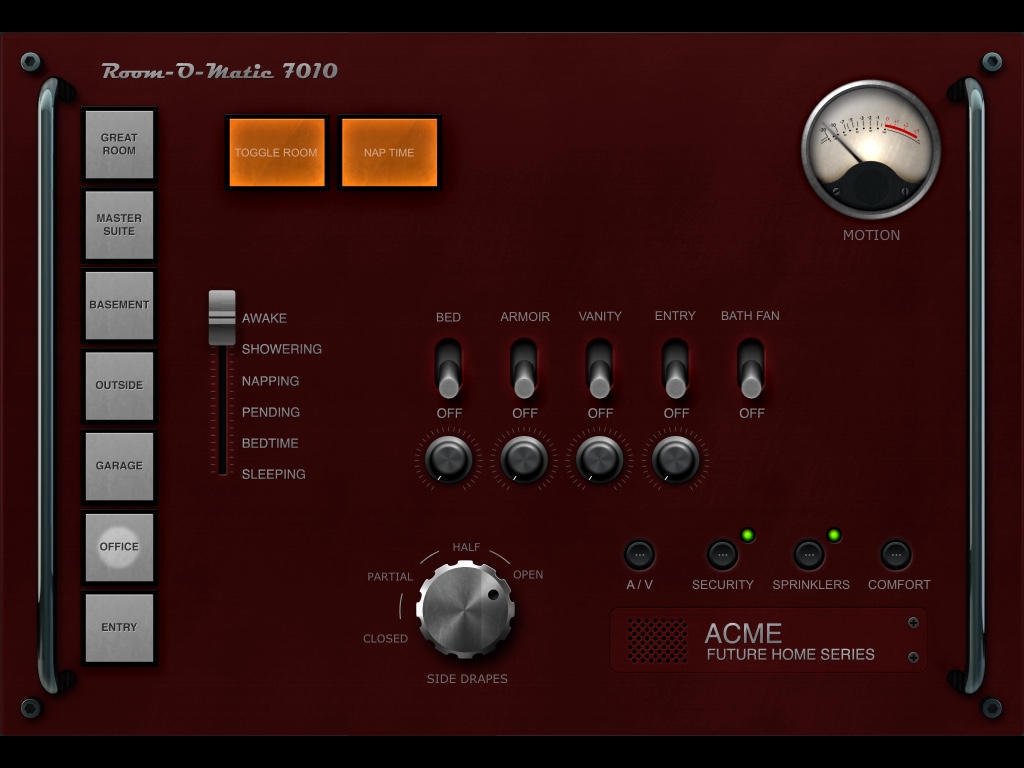
I have a series of "house states" that change the automation depending on the state (i.e., if we are sleeping and we get up for water, the motion sensor won't turn the lights in the bedroom on but will turn the kitchen on to 25% instead, etc):
thumb_IMG_0013_1024.jpg
thumb_IMG_0013_1024.jpg (148.41 KiB) Viewed 16325 times
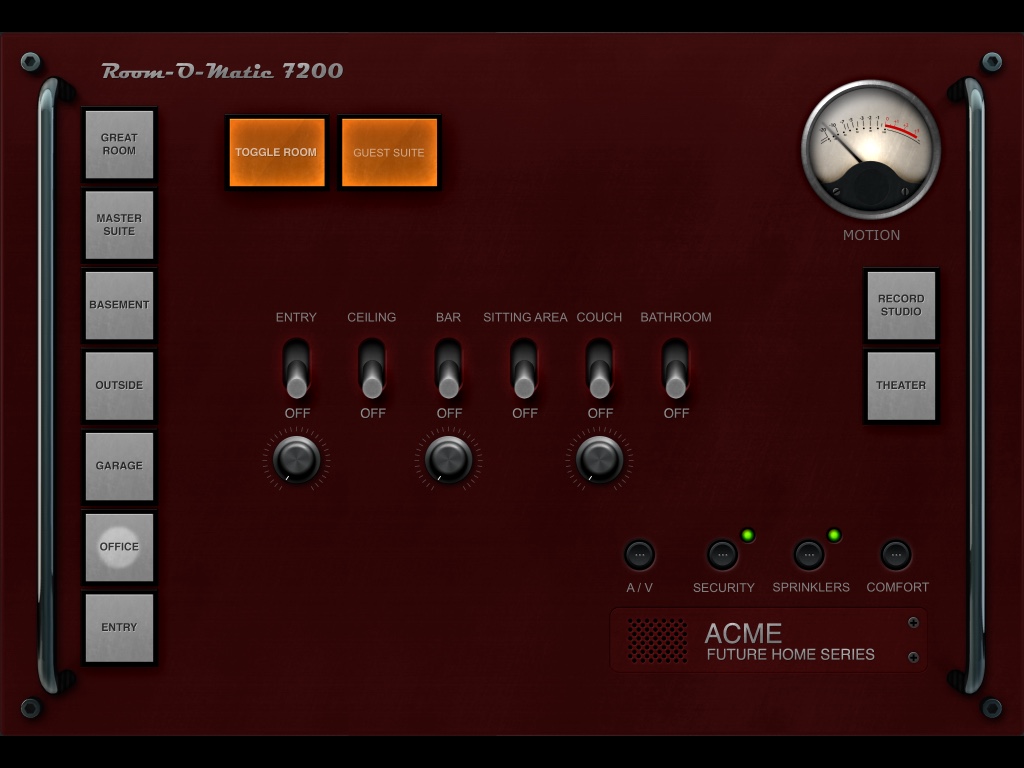
In the basement I have a couple of extra rooms to control, so they get their own buttons on the right:
thumb_IMG_0009_1024.jpg
thumb_IMG_0009_1024.jpg (140.24 KiB) Viewed 16325 times
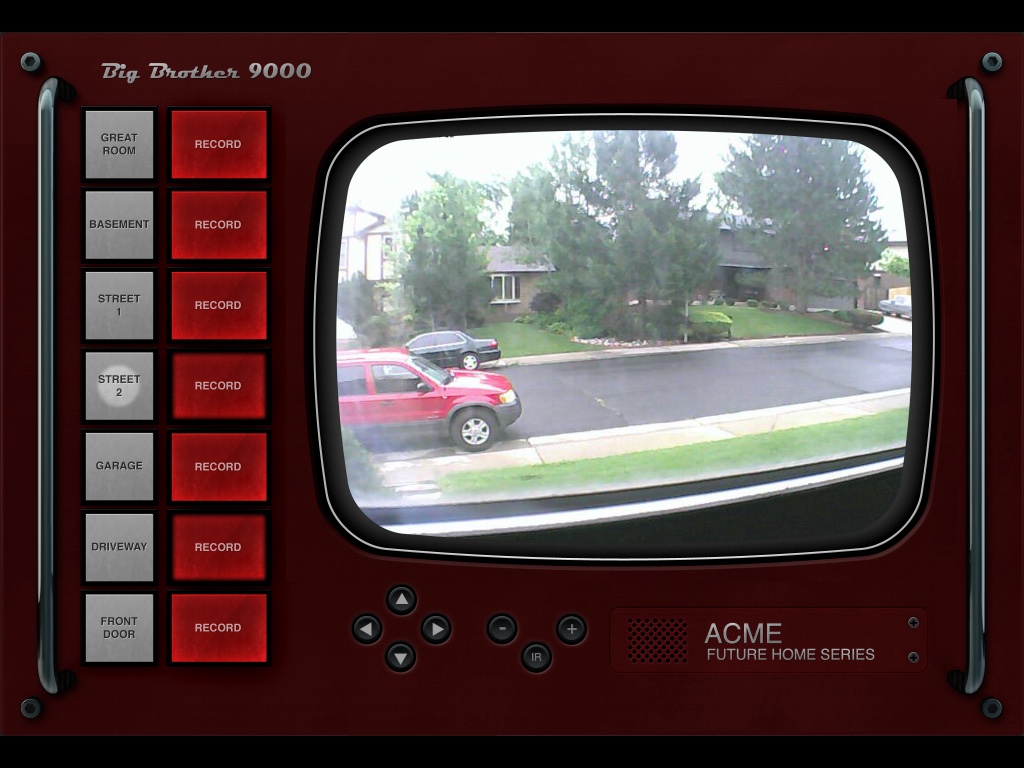
Pressing the security button will take you to a custom video monitor. I wanted to keep in the theme of this "retro tech" control system so I created a vintage style TV set to show my cameras (notice how I got the video feeds to conform to the roundness of the screen):
thumb_IMG_0010_1024.jpg
thumb_IMG_0010_1024.jpg (197.55 KiB) Viewed 16325 times
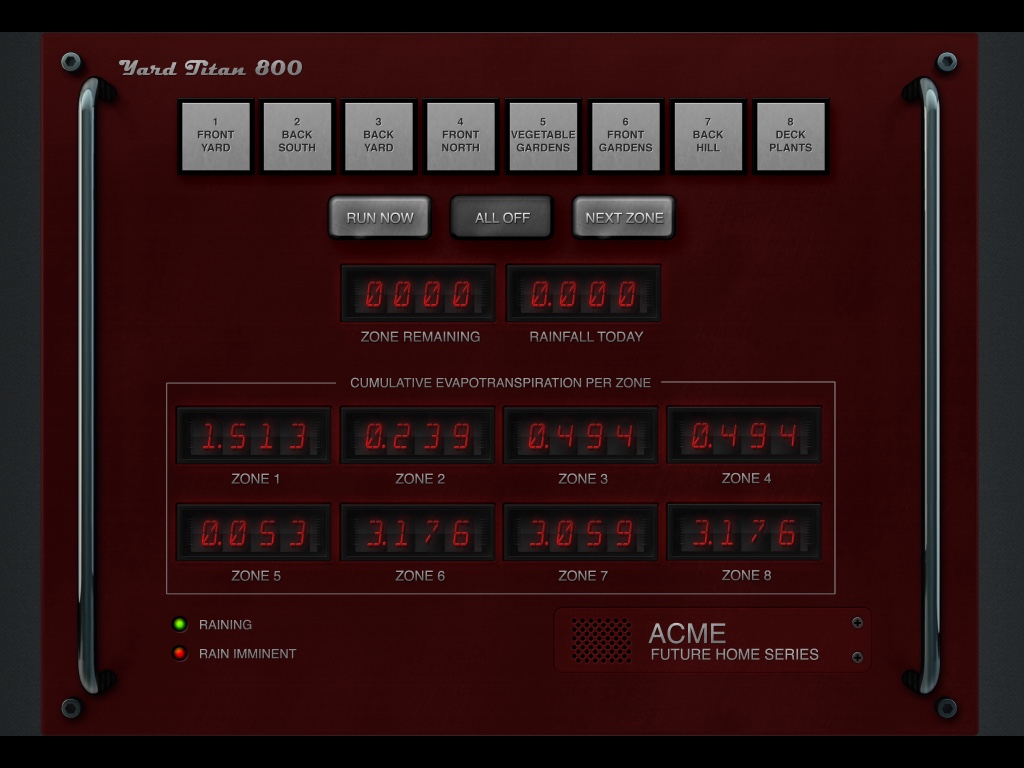
Also have my zone controls as well as the ETO for each zone (another plugin that I wrote):
thumb_IMG_0011_1024.jpg
thumb_IMG_0011_1024.jpg (161.57 KiB) Viewed 16325 times
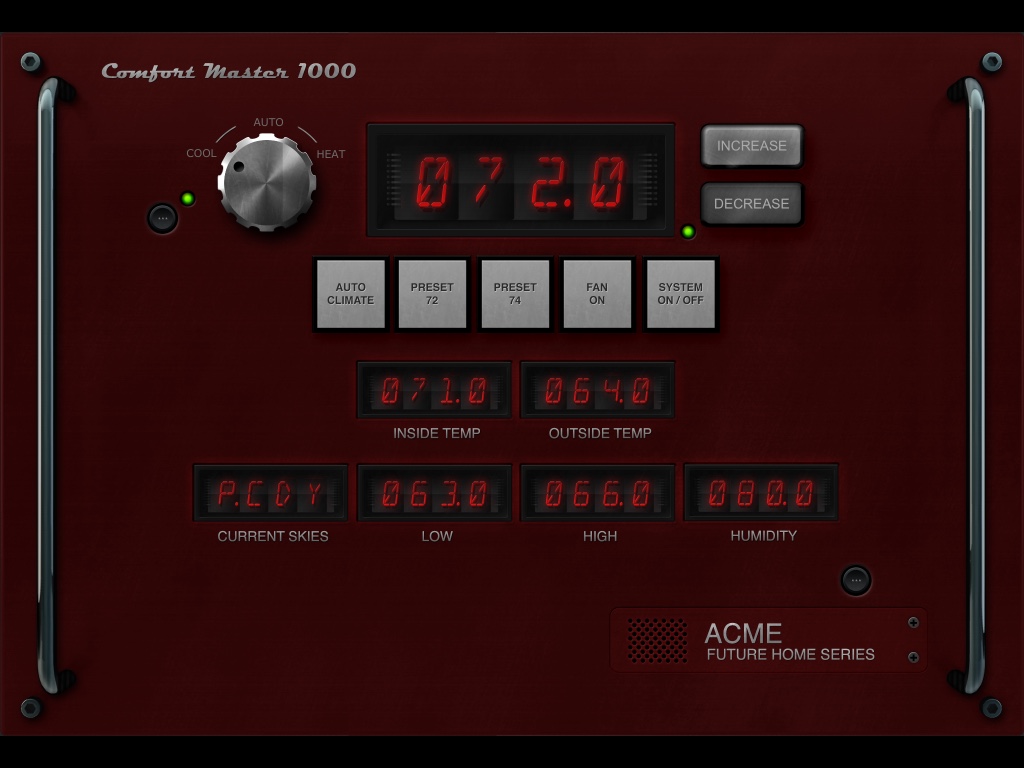
And of course I have to be able to control the thermostat:
thumb_IMG_0012_1024.jpg
thumb_IMG_0012_1024.jpg (137.64 KiB) Viewed 16325 times
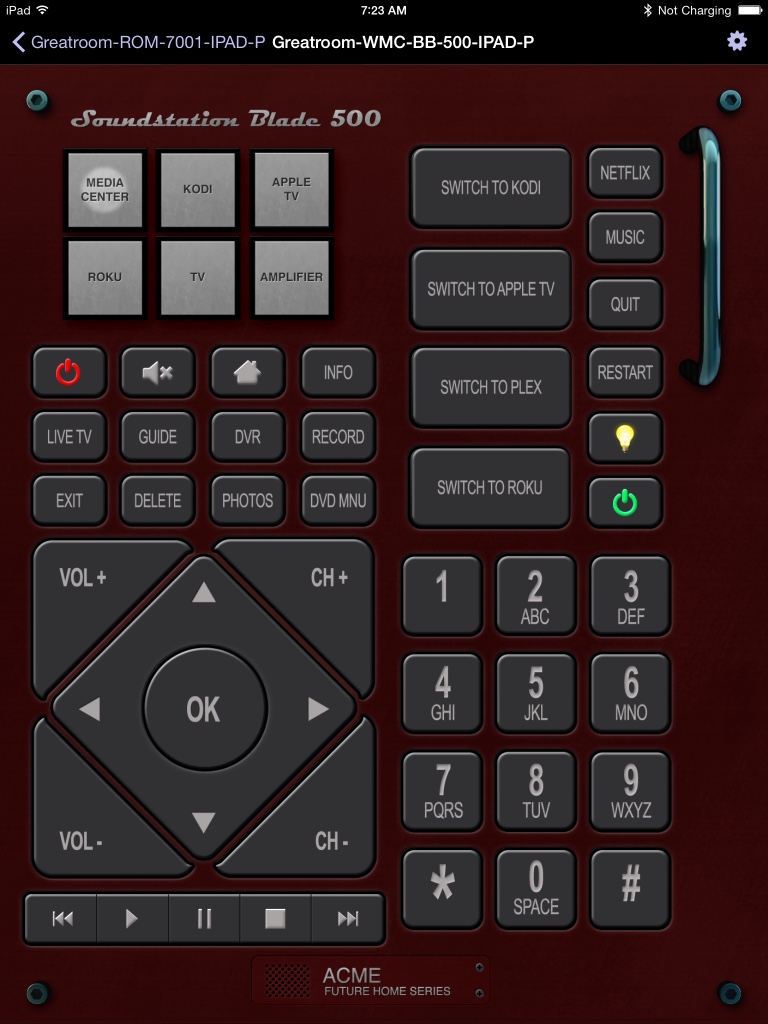
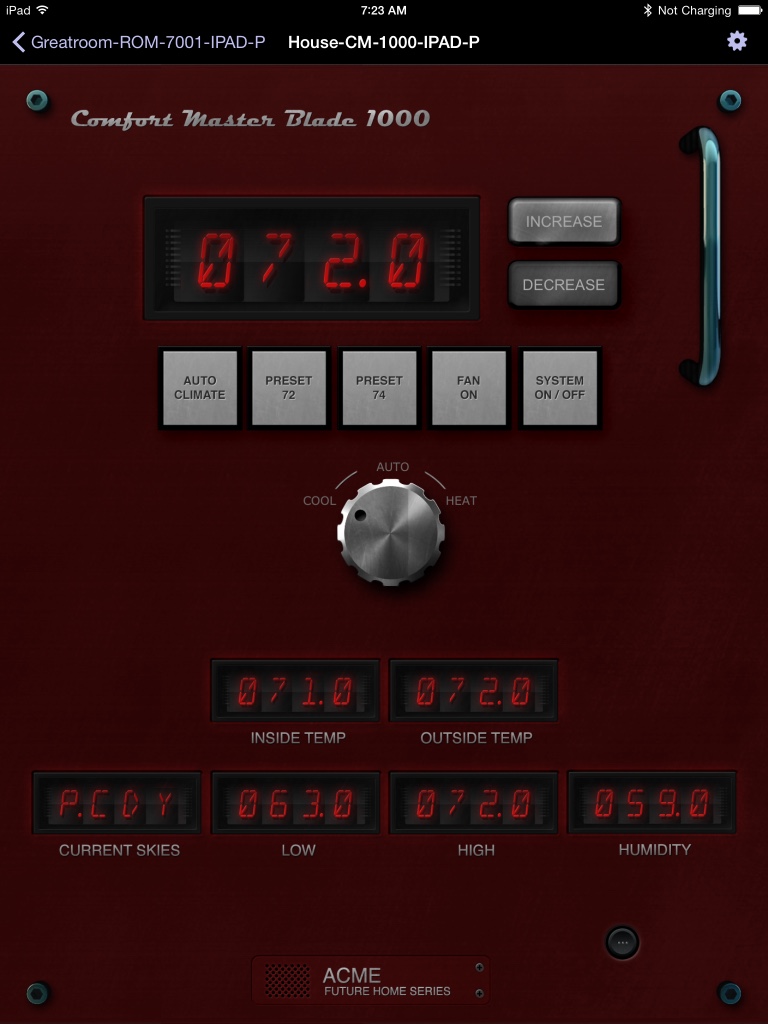
I approached this as "everything is controlled via Indigo", so I also have all my A/V stuff incorporated. Because I mostly use my A/V in portrait mode I created a "blade server" version of the controls:
thumb_IMG_0017_1024.jpg
thumb_IMG_0017_1024.jpg (178.32 KiB) Viewed 16325 times
thumb_IMG_0018_1024.jpg
thumb_IMG_0018_1024.jpg (142.99 KiB) Viewed 16325 times
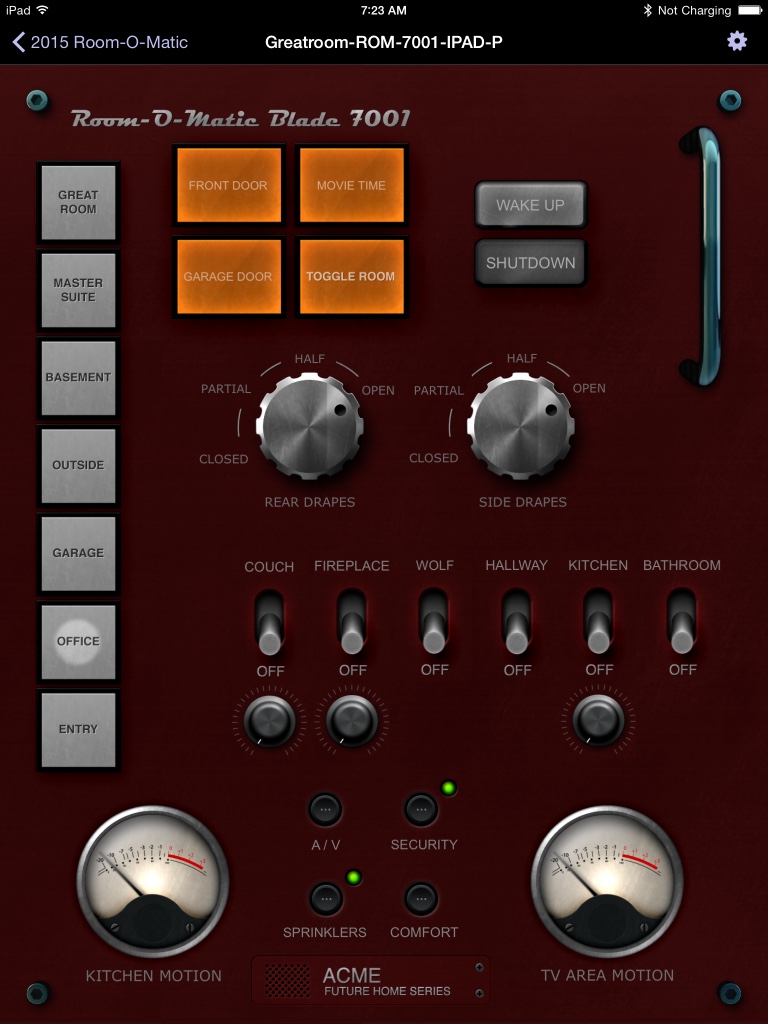
thumb_IMG_0016_1024.jpg
thumb_IMG_0016_1024.jpg (175.94 KiB) Viewed 16325 times
I still have some tweaks to do but I'm pretty happy with the result. I also have iPhone portrait and landscape versions of the system. I'm writing an IOS app to handle some features not present in the Indigo app that I really want to incorporate into my total solution, I'll be sure to let you guys know when that's done :). The plugin for the system does all sorts of stuff, like creating the LCD digits for the pages as well as eliminating the need for a bunch of Indigo variables to support the overall control of my house, opting for plugin states instead.
My Modest Contributions to Indigo:

HomeKit Bridge | Device Extensions | Security Manager | LCD Creator | Room-O-Matic | Smart Dimmer | Scene Toggle | Powermiser | Homebridge Buddy

Check Them Out Here
User avatar
FlyingDiver
Posts: 7830
Joined: Sat Jun 07, 2014 10:36 am
Location: Southwest Florida, USA

Re: Room-O-Matic

Post by FlyingDiver »

That is epic. I'd love a copy of the images.
joe (aka FlyingDiver)
my plugins: http://forums.indigodomo.com/viewforum.php?f=177
User avatar
Colorado4Wheeler
Posts: 2794
Joined: Mon Jul 20, 2009 10:48 am
Location: Colorado

Re: Room-O-Matic

Post by Colorado4Wheeler »

Thanks :). I made everything generic enough that anyone could assemble their control pages, albeit it takes more time than a simple page, it's still not too tough. I can go from zero to a full room in 10 minutes or so.

I need to write some instructions first but as soon as I document it I'll throw it up for download.
My Modest Contributions to Indigo:

HomeKit Bridge | Device Extensions | Security Manager | LCD Creator | Room-O-Matic | Smart Dimmer | Scene Toggle | Powermiser | Homebridge Buddy

Check Them Out Here
User avatar
DaveL17
Posts: 7321
Joined: Tue Aug 20, 2013 11:02 am
Location: Chicago, IL, USA
Contact:

Re: Room-O-Matic

Post by DaveL17 »

Okay, those are badass.

I have had LED alpha numerics on my to-do list for a while. I had a couple false starts because I didn't like the way they looked. These are fantastic.

Really nice job.
I came here to drink milk and kick ass....and I've just finished my milk.

My Plugins and Scripts
User avatar
jay (support)
Site Admin
Posts: 19232
Joined: Wed Mar 19, 2008 11:52 am
Location: Austin, Texas
Contact:

Re: Room-O-Matic

Post by jay (support) »

Beautiful job, thanks for contributing! You can put them in the Contribution Library so they're easily found.
Jay (Indigo Support)
Twitter | Facebook | LinkedIn
User avatar
Colorado4Wheeler
Posts: 2794
Joined: Mon Jul 20, 2009 10:48 am
Location: Colorado

Re: Room-O-Matic

Post by Colorado4Wheeler »

DaveL17 wrote:Okay, those are badass.

I have had LED alpha numerics on my to-do list for a while. I had a couple false starts because I didn't like the way they looked. These are fantastic.

Really nice job.
Thank you :o . The LED's were a little tricky, took a lot of work. Actually, in all, the graphical design of this project is easily over 200 hours, including writing plugins to do some of the cool stuff I'm trying to do. My wife is VERY happy that I'm mostly done with it now, a lot of late nights and weekends went into it all. This is actually the 4th start-over, I found so much during the first 3 that I would say "I can do that better", but in this kind of design that means starting over because the graphics are too tightly nit together to just patch things up.
jay (support) wrote:Beautiful job, thanks for contributing! You can put them in the Contribution Library so they're easily found.
Thanks and you're welcome and once I get the docs together I will :)
My Modest Contributions to Indigo:

HomeKit Bridge | Device Extensions | Security Manager | LCD Creator | Room-O-Matic | Smart Dimmer | Scene Toggle | Powermiser | Homebridge Buddy

Check Them Out Here
ckeyes888
Posts: 2438
Joined: Thu Nov 26, 2009 2:41 pm
Location: Kalispell, MT

Re: Room-O-Matic

Post by ckeyes888 »

Beautiful work. So nice to see something other than the somehow popular chicken scratch graphics so prevalent
today.

Carl
User avatar
durosity
Posts: 4810
Joined: Thu May 10, 2012 3:21 pm
Location: Newcastle Upon Tyne, Ye Ol' England.

Re: Room-O-Matic

Post by durosity »

Wow, very nice... Are you Scott Forstall, cos skewmorphism is back baby!


Sent from my iPad using Tapatalk
Computer says no.
User avatar
SpencerJRoberts
Posts: 256
Joined: Sun Dec 09, 2012 12:07 pm
Location: Mountain View, CA

Re: Room-O-Matic

Post by SpencerJRoberts »

This is fantastic, really great work! :D
Seeker
Posts: 441
Joined: Mon Aug 05, 2013 5:08 am

Re: Room-O-Matic

Post by Seeker »

Reminds me of Fallout and the Pipboy 3000.

http://fallout.wikia.com/wiki/Pip-Boy_3000
User avatar
Colorado4Wheeler
Posts: 2794
Joined: Mon Jul 20, 2009 10:48 am
Location: Colorado

Re: Room-O-Matic

Post by Colorado4Wheeler »

Seeker wrote:Reminds me of Fallout and the Pipboy 3000.

http://fallout.wikia.com/wiki/Pip-Boy_3000
Funny you say that, it was kind of my inspiration for this :). I wanted something that looked sort of retro but modern and thought to myself "kind of like they did in Fallout".
SpencerJRoberts wrote:This is fantastic, really great work! :D
Thank you!
durosity wrote:Scott Forstall
lol, hardly :P
My Modest Contributions to Indigo:

HomeKit Bridge | Device Extensions | Security Manager | LCD Creator | Room-O-Matic | Smart Dimmer | Scene Toggle | Powermiser | Homebridge Buddy

Check Them Out Here
User avatar
Colorado4Wheeler
Posts: 2794
Joined: Mon Jul 20, 2009 10:48 am
Location: Colorado

Re: Room-O-Matic

Post by Colorado4Wheeler »

I started a new thread but in case you bookmarked this one waiting for the release I wanted to let you know the plug-in and graphics are posted in the user contribution area.
My Modest Contributions to Indigo:

HomeKit Bridge | Device Extensions | Security Manager | LCD Creator | Room-O-Matic | Smart Dimmer | Scene Toggle | Powermiser | Homebridge Buddy

Check Them Out Here
veega74
Posts: 7
Joined: Wed May 06, 2015 8:23 pm

Re: Room-O-Matic

Post by veega74 »

Excellent work! I mean it! This was extremely simple to put together (since you did all of the work) and I'm grateful.
Can you also post the BigBrother Template? I have multiple cameras and would like to build a control page with the old style tv template.
Much thanks in advance and again your work is absolutely fantastic.
Thanks..
/j
User avatar
raneil
Posts: 90
Joined: Fri Feb 11, 2011 12:06 pm
Location: Grapevine, Texas

Re: Room-O-Matic

Post by raneil »

I just stumbled across this -- beautiful work! You're an artist. Thanks for sharing.
User avatar
raneil
Posts: 90
Joined: Fri Feb 11, 2011 12:06 pm
Location: Grapevine, Texas

Re: Room-O-Matic

Post by raneil »

Duplicate post. Not sure how that happened...
Post Reply

Return to “Room-O-Matic”