


Introducing a new (Beta) Indigo plugin for Mammotion mowers with a built‑in WebRTC (Agora) viewer, on‑screen joystick controls, and a one‑click Dock button. Watch a live video feed from your mower and nudge it forward/back/left/right directly from a simple web page served by the plugin.
b]Download / Source
https://github.com/Ghawken/MammotionPlugin
Download from Releases.
Highlights
- Create Indigo Mammation Mower device - for status updates, control and set to work on selectable Areas
– Live WebRTC video feed (Agora) in your browser
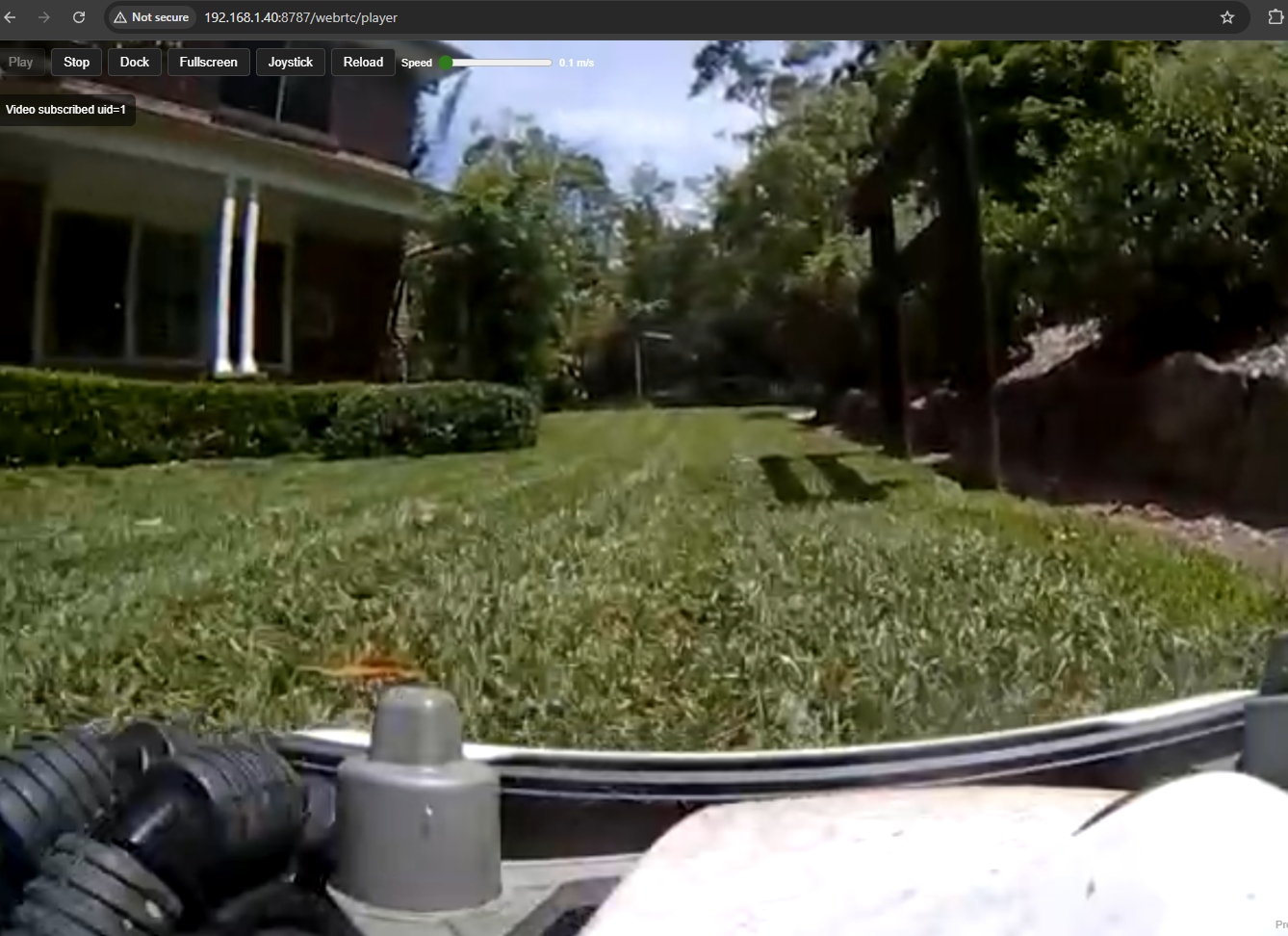
– On‑screen joystick with speed control (forward/back/left/right)
– Dock button (return to dock) next to Play/Stop
– Human‑readable Indigo device states (battery, charging, GPS, area name, etc.)
– Simple, robust async HTTP server built into the plugin
Quick Start – Download the plugin: https://github.com/Ghawken/MammotionPlugin
– Open the .indigoPlugin bundle to install, then enable it in Indigo
– Create a Mammotion Mower device and enter your Mammotion account details
– Open the player page: http://YOUR-INDIGO-HOST:8787/webrtc/player
– Optional: add “?joystick=1” to show the joystick automatically
Press Play to start the stream. Use the Joystick and Dock button as needed.
Movement Controls – Forward / Back (linear speed)
– Left / Right (angular speed)
– Press and hold for continuous motion (auto‑stops for safety)
– Movement stops on connection loss
Device States (examples) – Connection: connected, status_text, last_update
– Power: battery_percent, charging, docked, mowing
– Position: gps_lat, gps_lon, pos_x, pos_y, toward
– Area: zone_hash, area_name
– Stream: stream_status, stream_app_id, stream_channel, stream_uid
– Combined summary: single readable line (Mowing / Returning / Docked / Idle)
Requirements – Indigo 2024.2 or newer (Python 3)
– Network access from the Indigo Mac to Mammotion cloud
– A Mammotion mower that publishes video via Agora
Notes – The viewer is served over HTTP on your LAN (default port 8787)
– If exposing outside your LAN, use an authenticated reverse proxy and TLS
Credits – Many thanks to the authors and maintainers of the Mammotion Python libraries used by this plugin.
